
Cosmo vs Todoist: which one should you choose in 2026?
Todoist is probably the most accomplished task manager on the market: 18 years of existence, native apps everywhere, formidable natural-language input. So why compare at all? Because the question is not "which is the best to-do list?" but "what does your system actually need?". If the answer includes habit tracking, time-blocking or measurable goals, the match gets interesting. An honest comparison, point by point.
The verdict in 30 seconds
- Choose Todoist if you only want to manage tasks, with native apps (Windows, macOS, mobile), integrations across your whole ecosystem (Gmail, Slack, calendars) and extremely fast capture.
- Choose Cosmo if you want to connect tasks, habits, a time-blocking calendar and OKRs in a single free tool, rather than juggling three or four applications.
Side by side
| Criterion | Todoist | Cosmo |
|---|---|---|
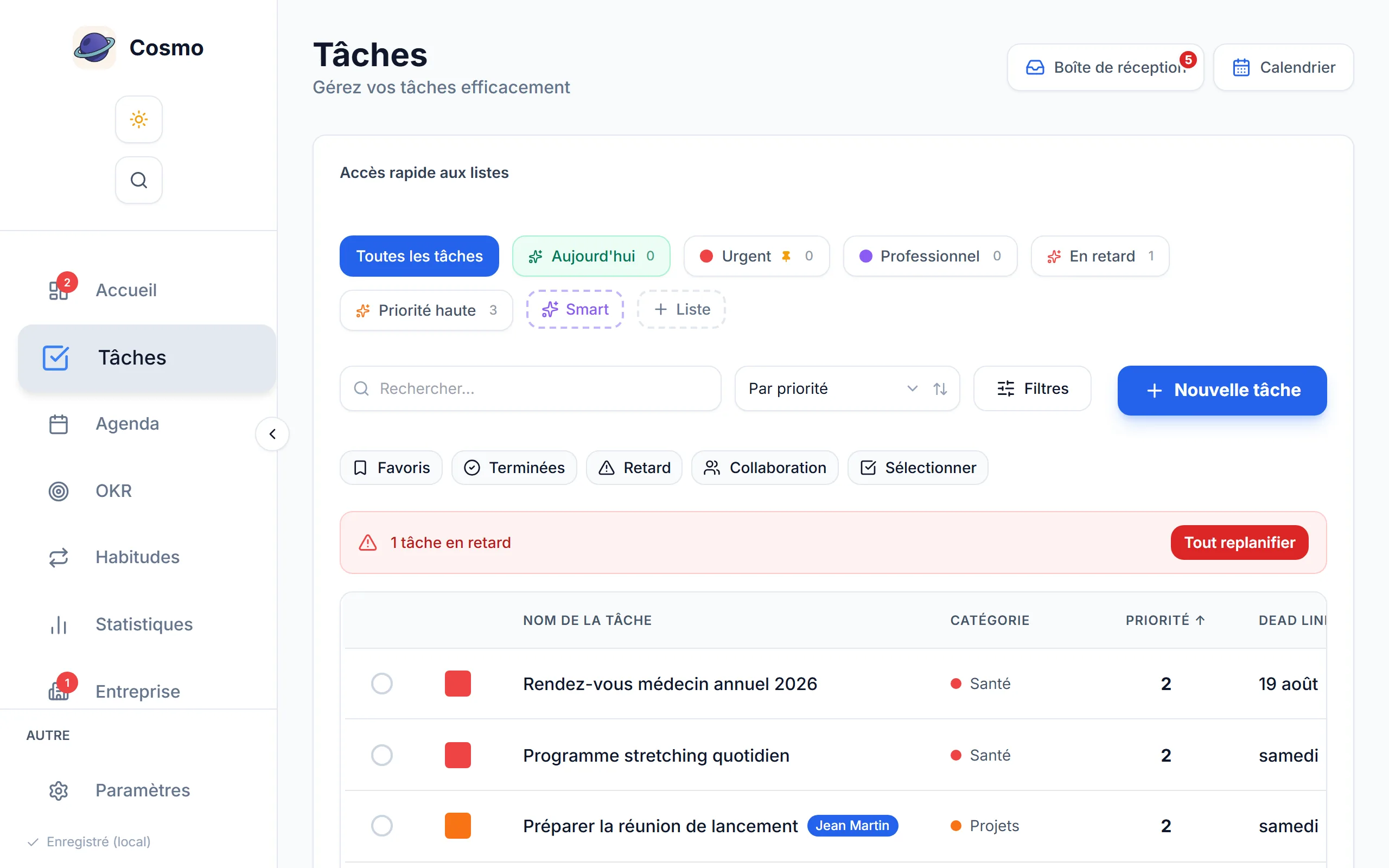
| Task management | Excellent, the market reference | Complete: priorities 1 to 5, categories, lists, filters |
| Natural-language input | Yes, remarkable ("tomorrow 2pm") | No, a structured form |
| Habit tracking | Not native, worked around with recurring tasks | Native: 26-week heatmap, streaks, completion rate |
| Calendar and time-blocking | Calendar view (paid), no true time-blocking | Native: drag a task into the calendar and the linked event is created |
| OKRs and goals | Absent | Native, with progress computed for you |
| Statistics | Karma, a gamification score | Across modules: time invested in tasks, habits, calendar, OKRs |
| Collaboration | Yes, mature (shared projects) | Task sharing with Viewer and Editor roles |
| Native apps | Windows, macOS, iOS, Android, extensions | A mobile-first web app, nothing to install |
| Third-party integrations | Very many (calendars, Slack, email) | None to date |
| Price | Limited free tier (5 projects), Pro around 4 to 5 € a month | Free, with the main features unlimited |
| Try without an account | No | Yes, an instant pre-filled demo with no sign-up |
Comparison written on 18 July 2026 and reviewed on 13 October 2026, based on Todoist's public pages (features and pricing). Todoist's plans change: check them on todoist.com before choosing.
Where Todoist is still ahead
Let us be direct: on pure task management, Todoist has an 18-year head start and it shows.
- Natural-language input. Typing "Report every Monday 9am #Work" and watching the recurrence, the time and the project fill themselves in is the best on the market.
- Native apps. System-wide keyboard shortcuts, a widget, capture from anywhere: if you capture 30 tasks a day, that comfort matters.
- The ecosystem. Todoist plugs into Gmail, Outlook, Slack and your calendar. For personal use, Cosmo does not offer third-party integrations yet; only the company workspace can send its task events to Slack or to a web service.
- Collaborative maturity. Todoist's shared projects are battle-tested for running a whole team.
Where Cosmo changes the terms
Todoist's limit is not what it does, it is what it does not do. A complete personal system rests on four pillars, and Todoist covers one.
- Habits are native. In Todoist a habit is a recurring task that makes you feel guilty when it is overdue. In Cosmo it is its own object: a 26-week GitHub-style heatmap, streaks, completion rate. Consistency gets built visually.
- Time-blocking is real. You drag a task onto a calendar slot and the event is created and linked to the task. Planning your day takes two minutes, with no external sync.
- OKRs give a direction. A to-do list tells you what to do today, it never tells you whether you are moving towards what matters. Cosmo's OKRs connect your daily actions to measurable goals (see our guide to the OKR method with 15 examples).
- The price. Cosmo's main features are free with no project limit. Free Todoist caps at 5 projects, and the calendar view is paid.
- Frictionless trial. The Cosmo demo opens with no account, pre-filled with 12 months of realistic data, so you can judge it loaded in two minutes.
Which tool for which profile?
You capture a great many tasks, everywhere, all the time
Todoist. Its lightning capture and native apps are built for exactly that.
You want to build habits as well as manage tasks
Cosmo. That is the structural difference: habits are a pillar here, not a workaround.
You plan your days with time-blocking
Cosmo, unless you already have a Todoist plus Google Calendar flow that suits you.
You set quarterly goals, personal or professional
Cosmo. Todoist simply does not have that building block.
Your whole team has to collaborate on projects
Todoist for heavy collaboration and integrations. Cosmo is enough for sharing tasks between two or three people, and goes further as soon as shared goals are involved, as the Cosmo for teams page shows.
Moving from Todoist to Cosmo
There is no automatic import today, but that is an opportunity to clear house: copy across only the tasks that are genuinely active (rarely more than 20), recreate your projects as coloured categories, then add what Todoist was not carrying: two or three habits and a first quarterly OKR. The user guide covers the full setup in ten minutes. If you work for yourself, the Cosmo for freelancers page shows the same flow applied to a client portfolio.
Conclusion
Todoist is an excellent tool, and if your need stops at tasks, keep it. But if your system looks like "a to-do list plus a habit app plus a calendar plus a goals spreadsheet", then the real question is not which to-do list is best: it is how to stop paying the friction between four tools. That is precisely Cosmo's bet, and you can check it in two minutes, free and with no credit card.