Cosmo, a task, habit and OKR manager
Cosmo is a free productivity application that brings together four tools normally kept apart: task management, habit tracking, a calendar with time-blocking, and the OKR method (Objectives & Key Results). The starting idea is simple: your tasks for today, your routines and your underlying goals describe the same life, so they have no reason to live in three applications that ignore each other.
Everything runs in the browser, on desktop and on mobile, with nothing to install. You can try the demo without creating an account: it opens pre-filled with 12 months of realistic data (100 tasks, 100 habits, around 150 calendar events and 8 OKRs), which is enough to judge the product loaded rather than in front of an empty screen.
Managing tasks without drowning
Each task carries a priority from 1 to 5, a coloured category, a deadline and, if you need it, a list. Filters cross those criteria to answer the only question that counts in the morning: what do I do now? Recurring tasks regenerate themselves once ticked, subtasks break down whatever is too big, and search finds any item instantly. Tasks can also be shared with other users, to read or to edit, and that collaboration is free and will stay free.
Tracking habits and seeing your consistency
A habit is defined by its frequency: daily, weekly, or on specific days. You tick, Cosmo measures. The 26-week heatmap, in the spirit of the GitHub contribution graph, makes consistency visible at a glance, far better than an isolated number. The streak counts your consecutive days, and the completion rate situates the current period against previous ones. The rule that works: start with two or three habits, not fifteen.
Time-blocking, to make the plan real
A task without a slot stays an intention. Cosmo's calendar accepts drag and drop from the task panel: you drop "write the proposal" on Tuesday at 2 pm, the event is created and stays linked to the task. Day, week and month views, with recurring events. The point of time-blocking is not cosmetic, it confronts your list with the only genuinely limited resource, the hours available in the week.
Steering your goals with the OKR method
The OKR method, popularised by Intel and then Google, structures an ambitious goal into 2 to 5 measurable key results. Cosmo computes the progress of each key result and of the overall objective, and archives each completion to build your history. What most OKR tools do not do: here your quarterly goals sit alongside your daily tasks, which makes visible the gap between what you are aiming at and what you actually spend your days on.
What it looks like
Three screens of the application, in demo mode:
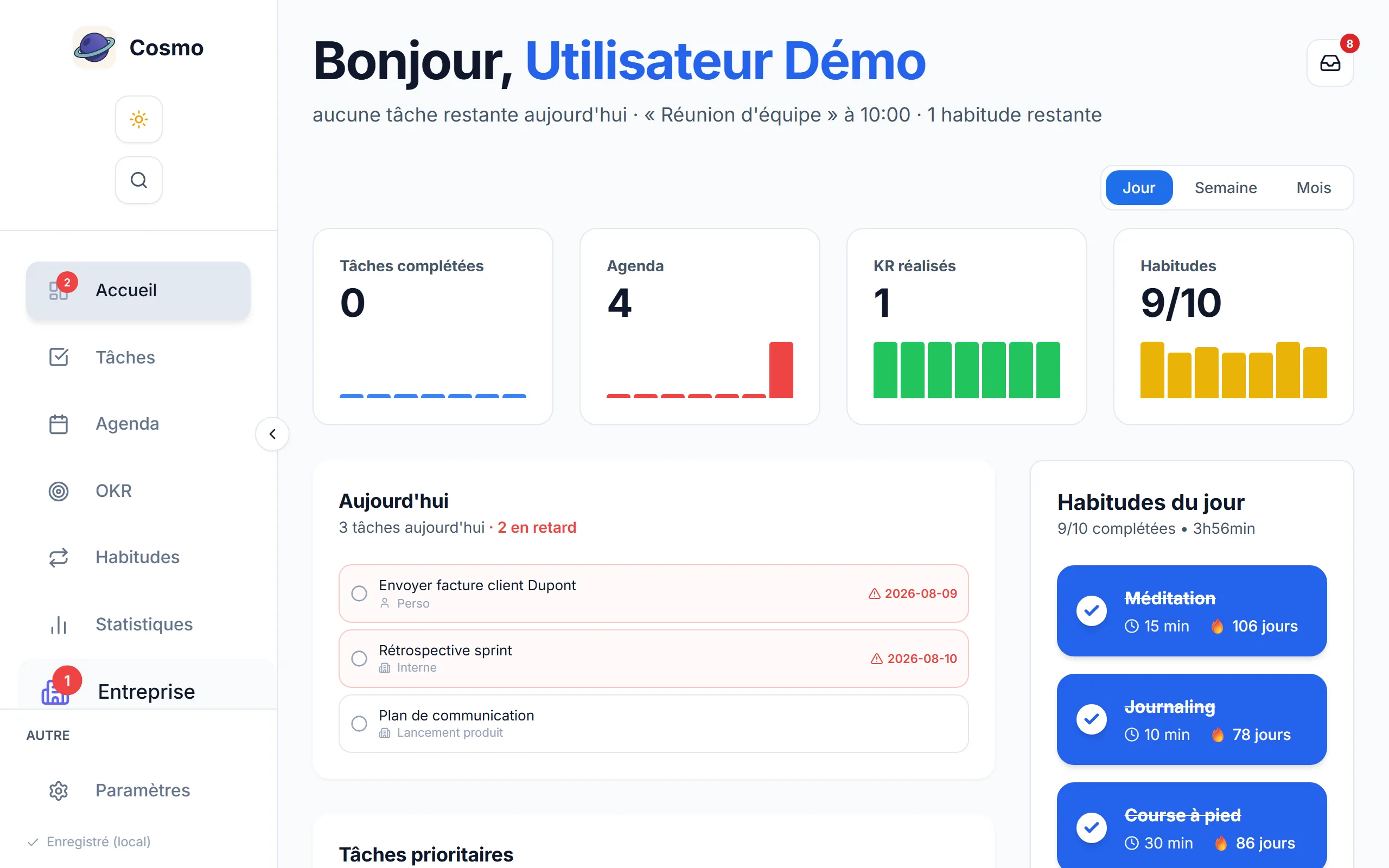
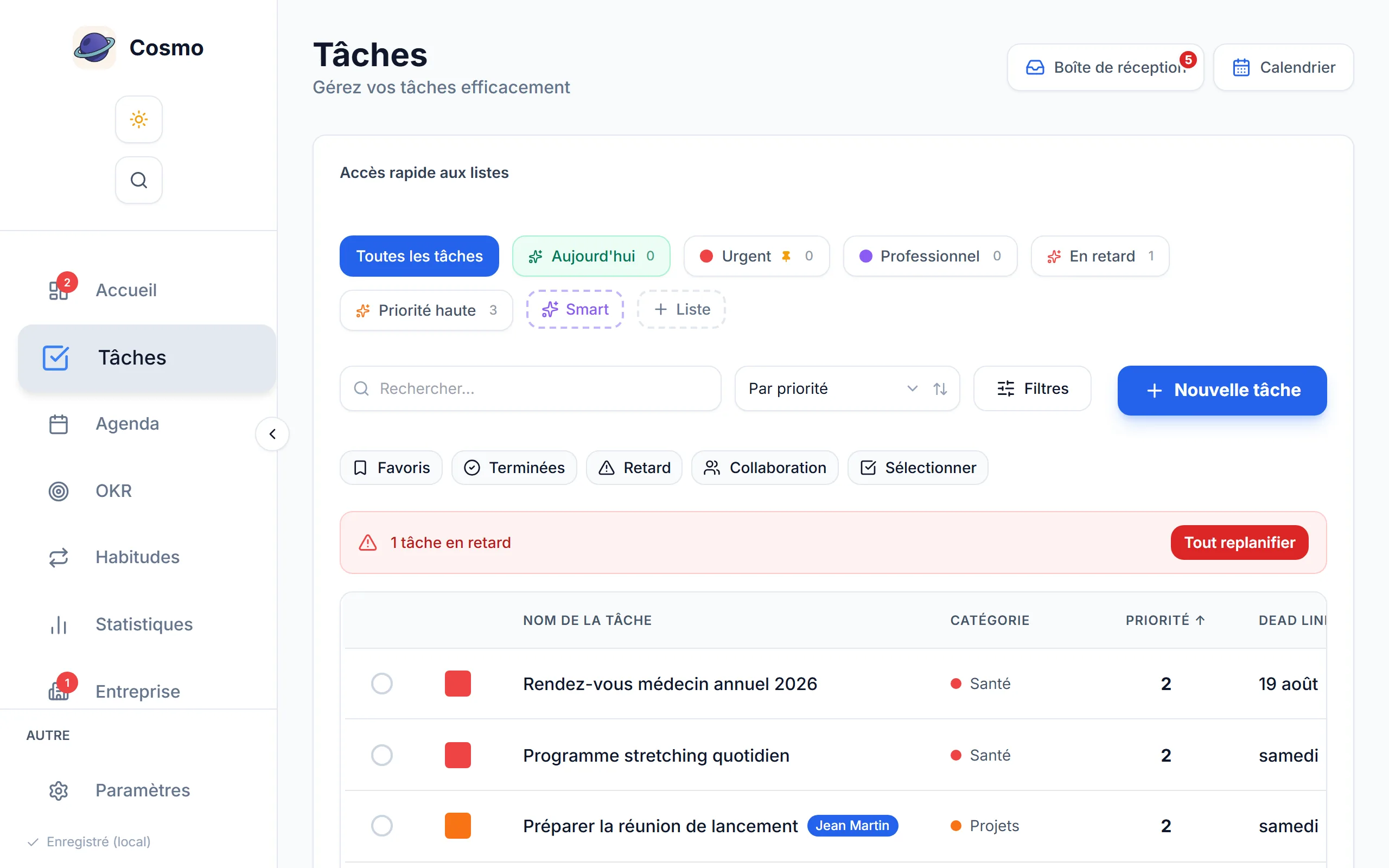
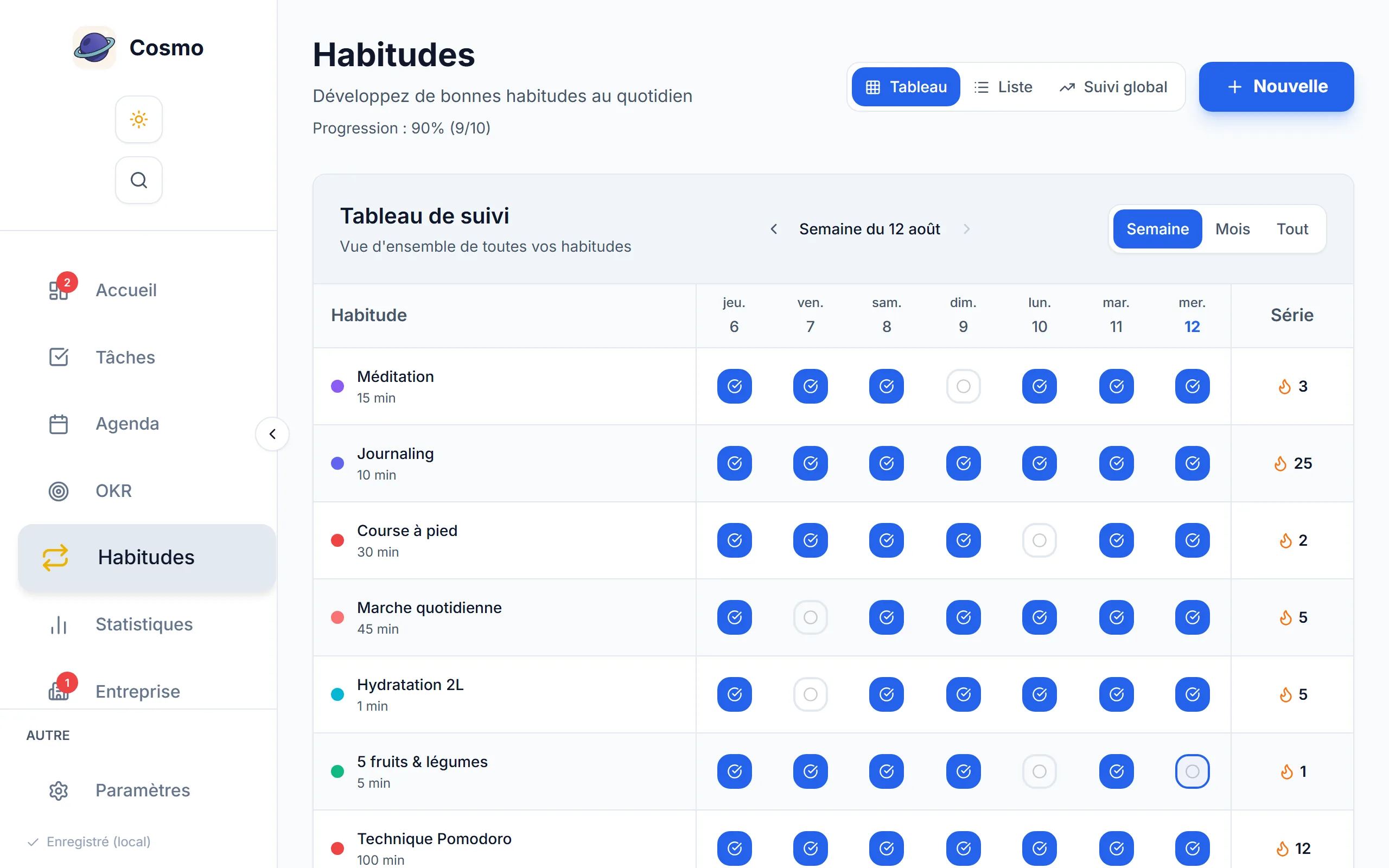
A dashboard that connects the four
The dashboard brings together the day's progress, the habits to tick, the next events and the curve of key results achieved. The Statistics page goes further: time invested per category, how it evolves over the period, comparison between modules. It is the productivity dashboard that is missing when each tool only knows a quarter of your activity.
What does it cost?
The main features (tasks, habits, calendar, OKRs, statistics, sharing) are free, with no credit card and no time-limited trial. Your data is stored on Supabase with Row Level Security: nobody but you can reach it. In demo mode, nothing leaves your browser.
And for an organisation?
Cosmo also exists in company mode: your management pyramid structures the projects, the OKRs and the team statistics, and everyone's scope follows from the real hierarchy rather than from shares made by hand. Each colleague keeps the personal Cosmo described above. It is free up to 5 members, discover Cosmo for companies.
Create a free account · User guide · The Cosmo blog
User guide · Cosmo for companies · Blog · For freelancers · For students · For managers · For teams · About · Free sign-up · Sign in · Legal notice · Privacy · Terms · contact@thecosmo.app