Cosmo for companies: your org chart is your execution engine
In Cosmo for companies, everyone's scope follows from your org chart: what they see, what gets assigned to them, what gets measured. Each colleague also keeps the personal Cosmo they already use, which avoids having one more tool to get adopted. Setting it up takes five steps.
Step 1: invite your team and group them
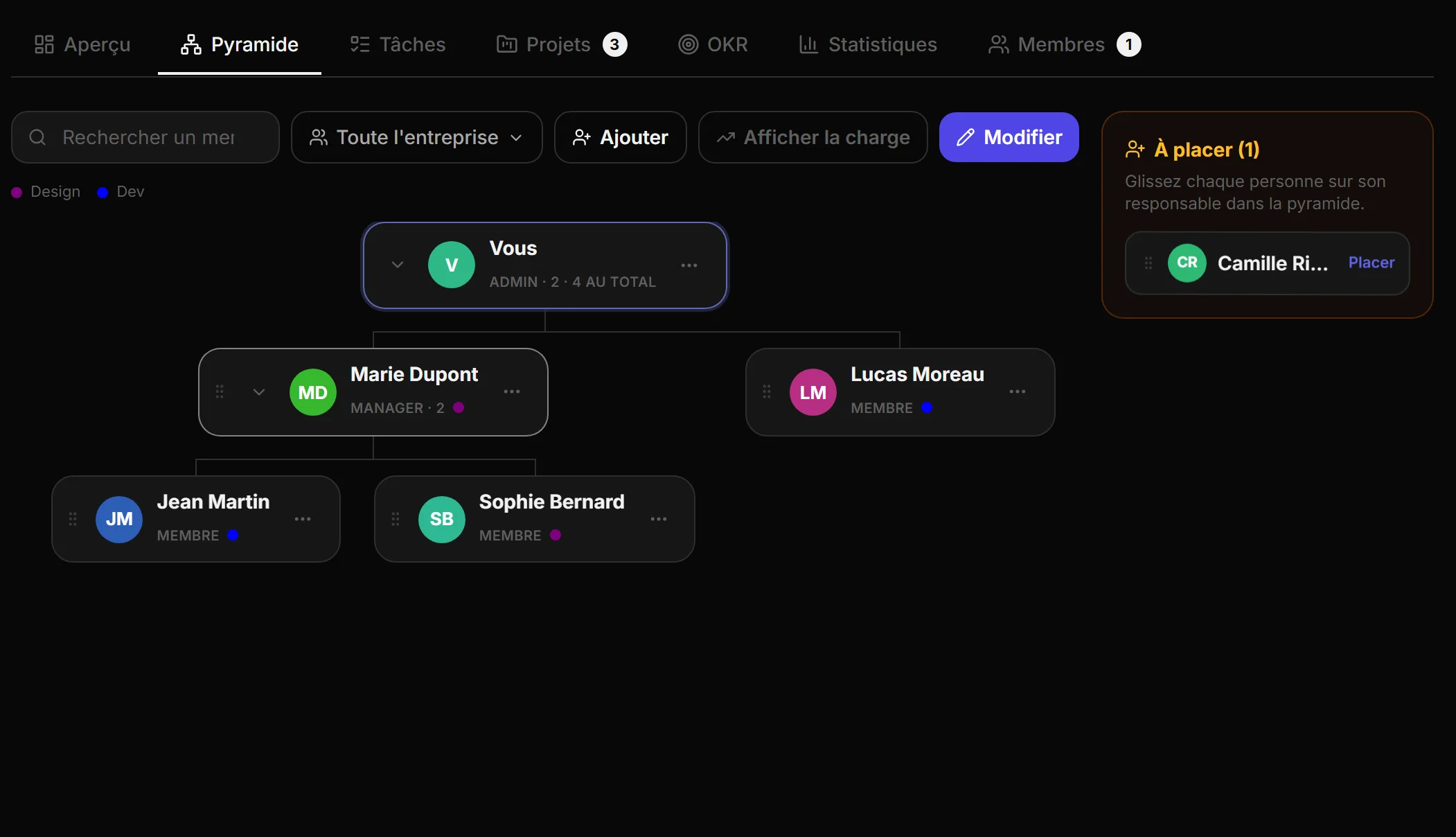
Everyone joins the organisation with the Cosmo account they already have, invited by email, organisation code, link or from your contacts, and lands straight under their manager and in their teams. You create as many teams as you need, and one person can belong to several. The attachment decides by default what each person sees and can do: a manager sees their complete subtree without a single permission having to be ticked. When needed, you adjust rights member by member, and changing an attachment is enough to reorganise.
The org chart is the screen from which you follow each person: opening their card shows their current tasks, their workload, their calendar and their contribution. A manager can create, move and edit calendar events for the people who report to them; what those people have marked as personal stays private, and only the slot appears. Two sibling branches of the org chart are partitioned, and the rule is enforced in the database, not merely hidden in the interface.
Step 2: follow execution, not just deadlines
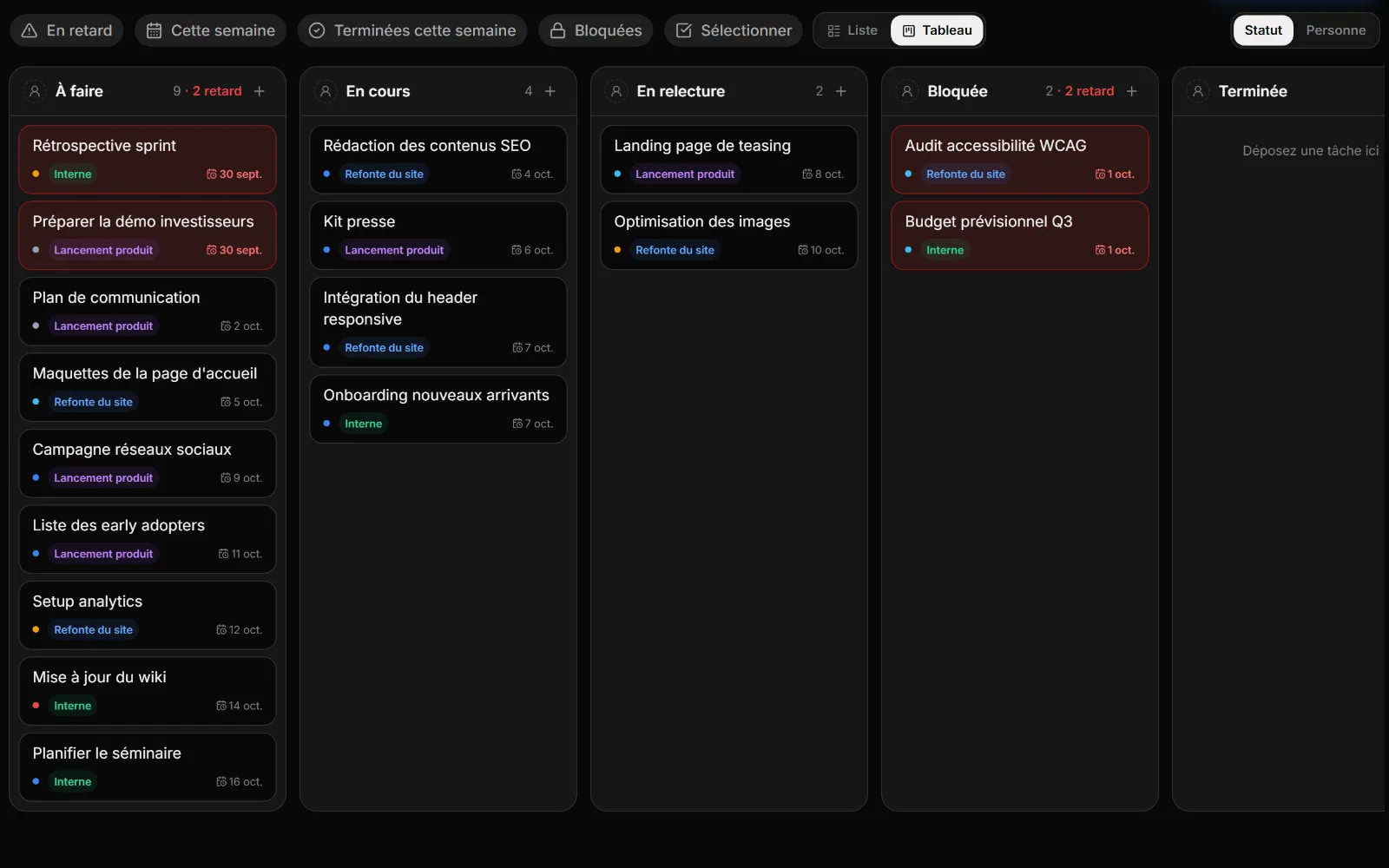
Every task carries a status (to do, in progress, in review, blocked, done) and can block another. The timeline computes the critical path, the chain of tasks where the slightest delay pushes back delivery. The Tasks tab gathers the tasks of every project in your scope, with presets, shared lists, sorting and grouping, as a list or a board.
Step 3: create your projects and assign them at the right scale
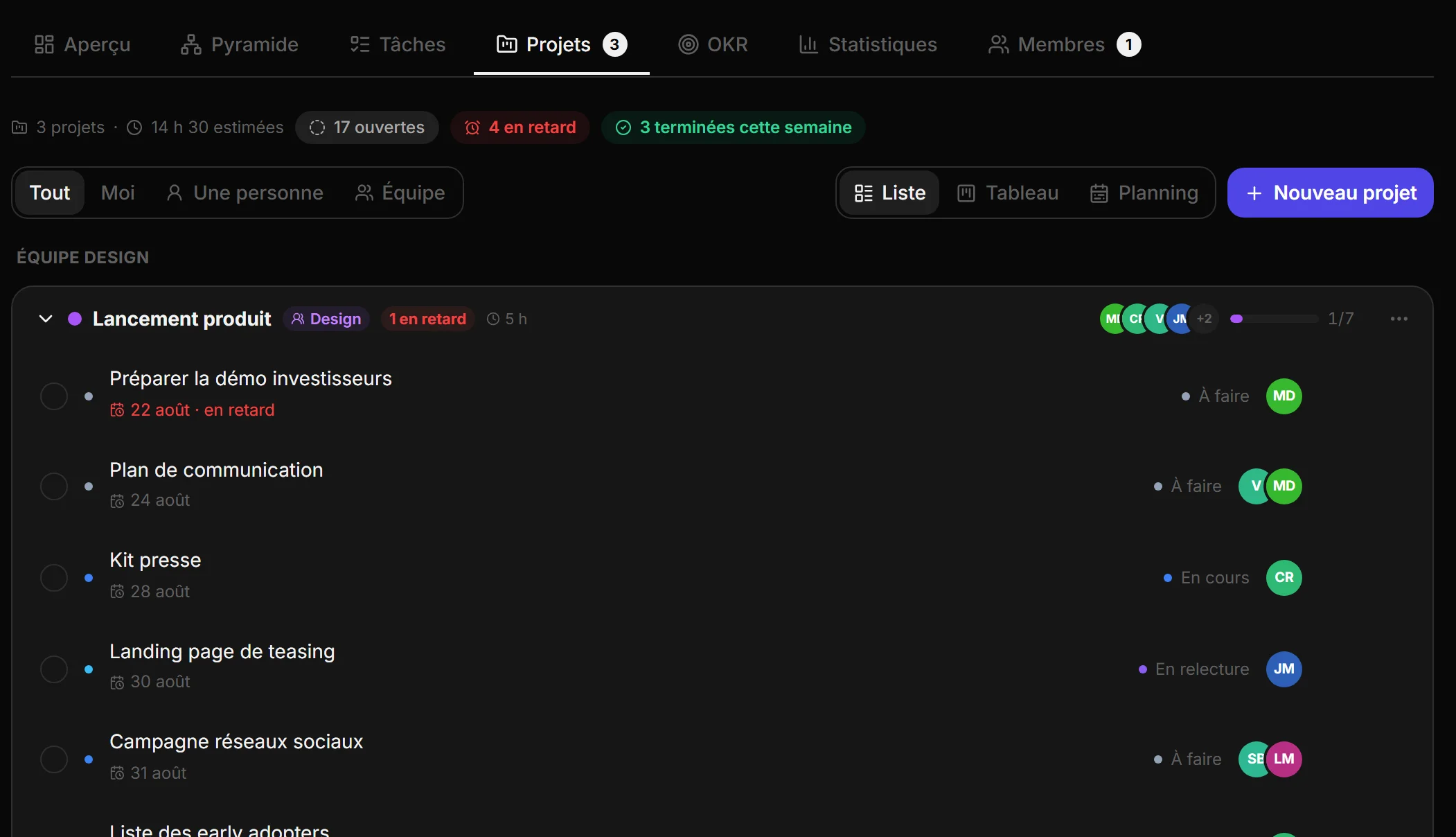
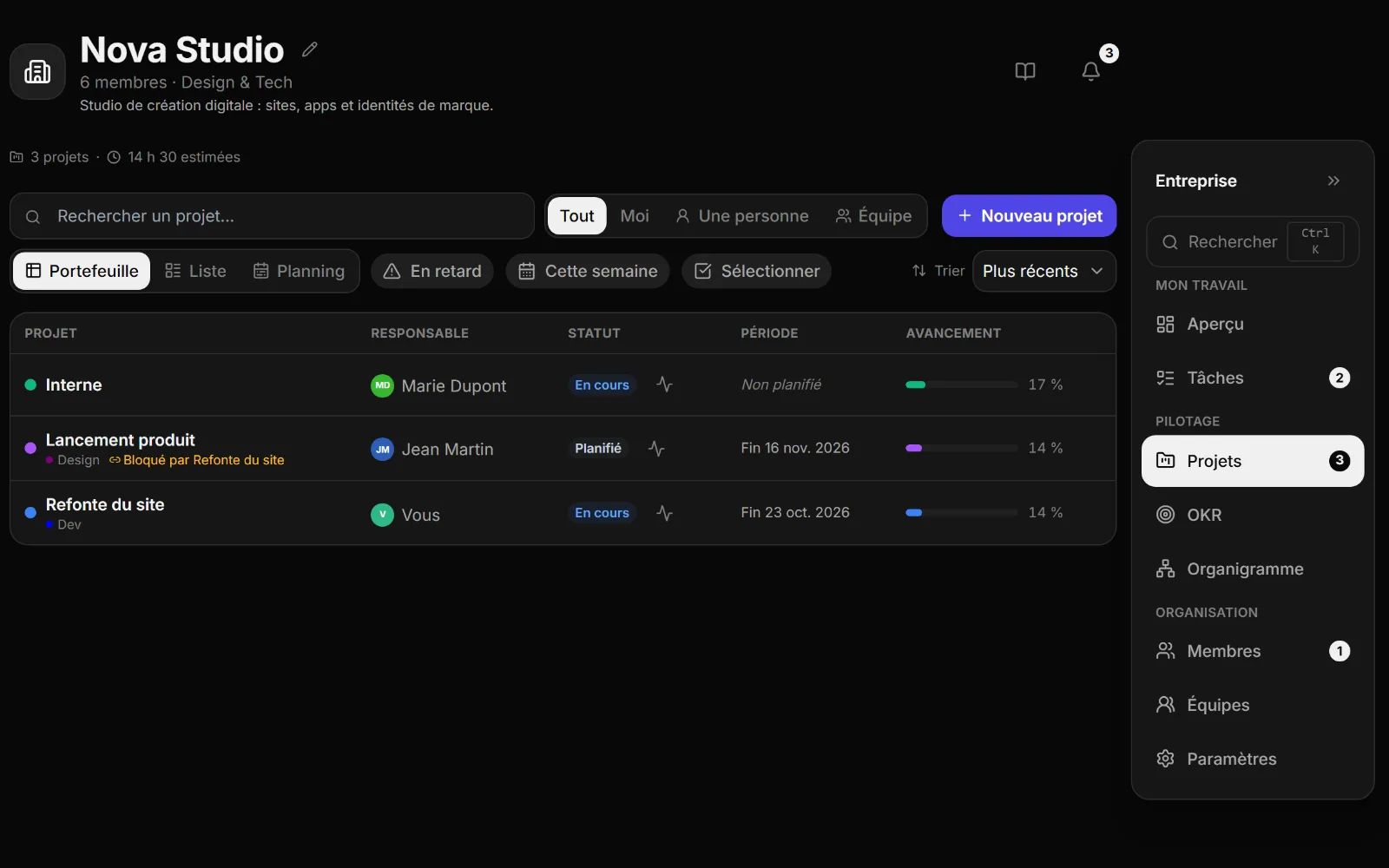
A project belongs to a team and gathers its tasks. You assign them to one person or several, anywhere in your scope, and each of them finds those tasks in their own Cosmo alongside their personal ones. Three views: the list for detail, the timeline to see deadlines and the critical path coming, the portfolio to compare status, lead and progress across all projects. Subtasks, comments with mentions and a change history live in every task.
Step 4: set your goals, at every scale
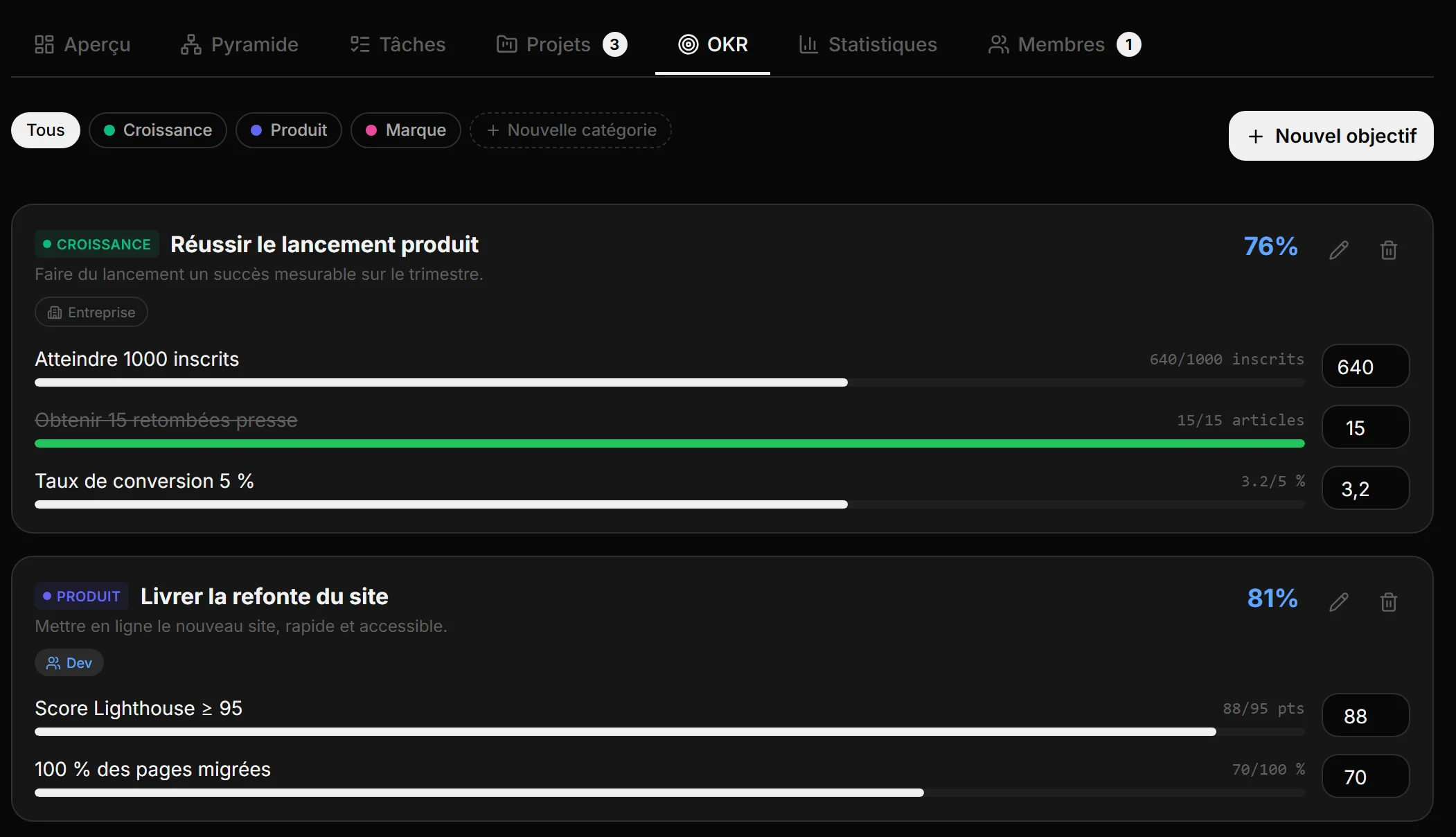
An organisation goal cascades into team OKRs, each OKR into numeric key results with their owner. An objective can be visible to the whole company, to some teams or only to the people you pick. Each key result achieved is logged on the date it was achieved, in a journal that cannot be rewritten afterwards.
Step 5: follow everyone's progress
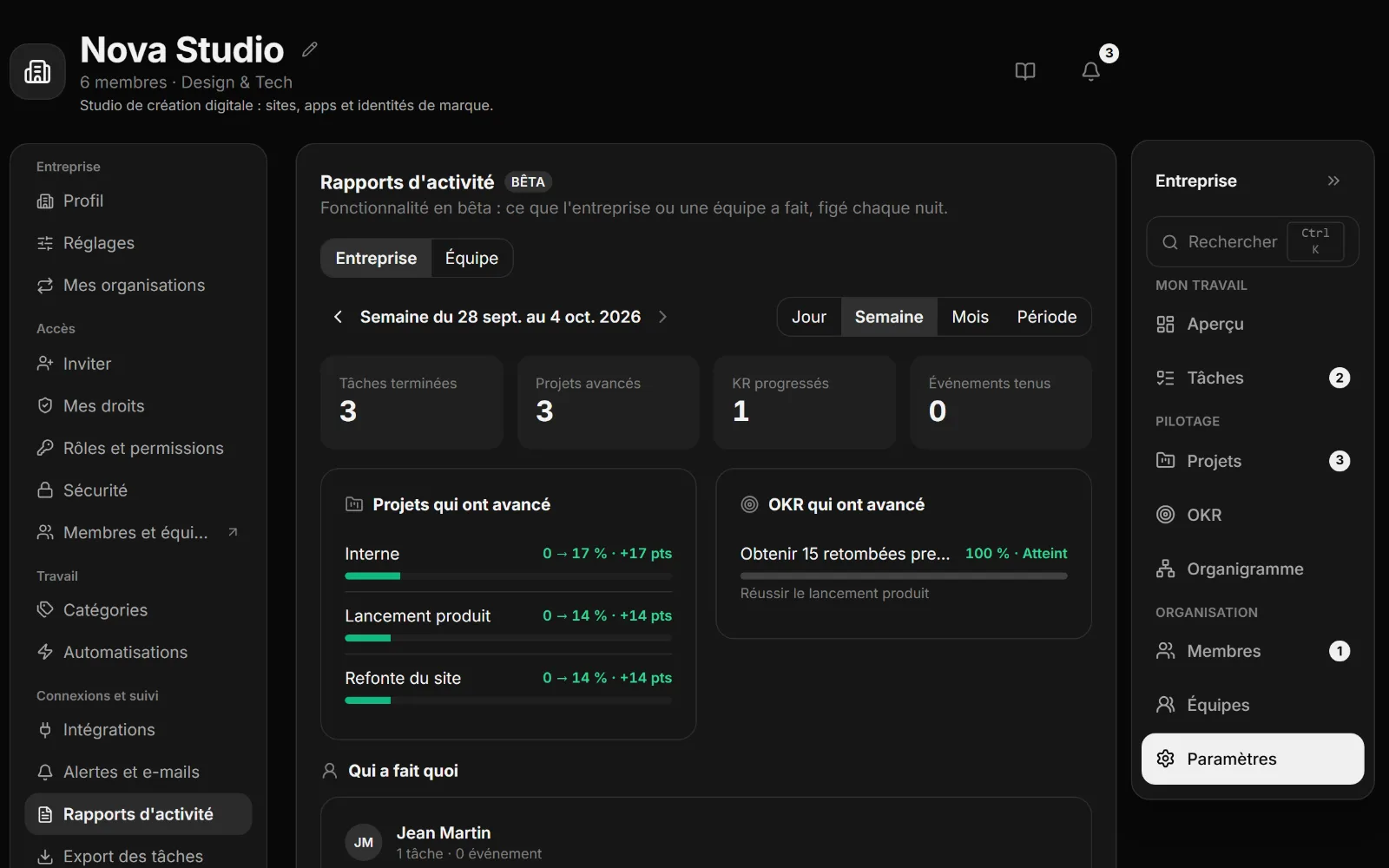
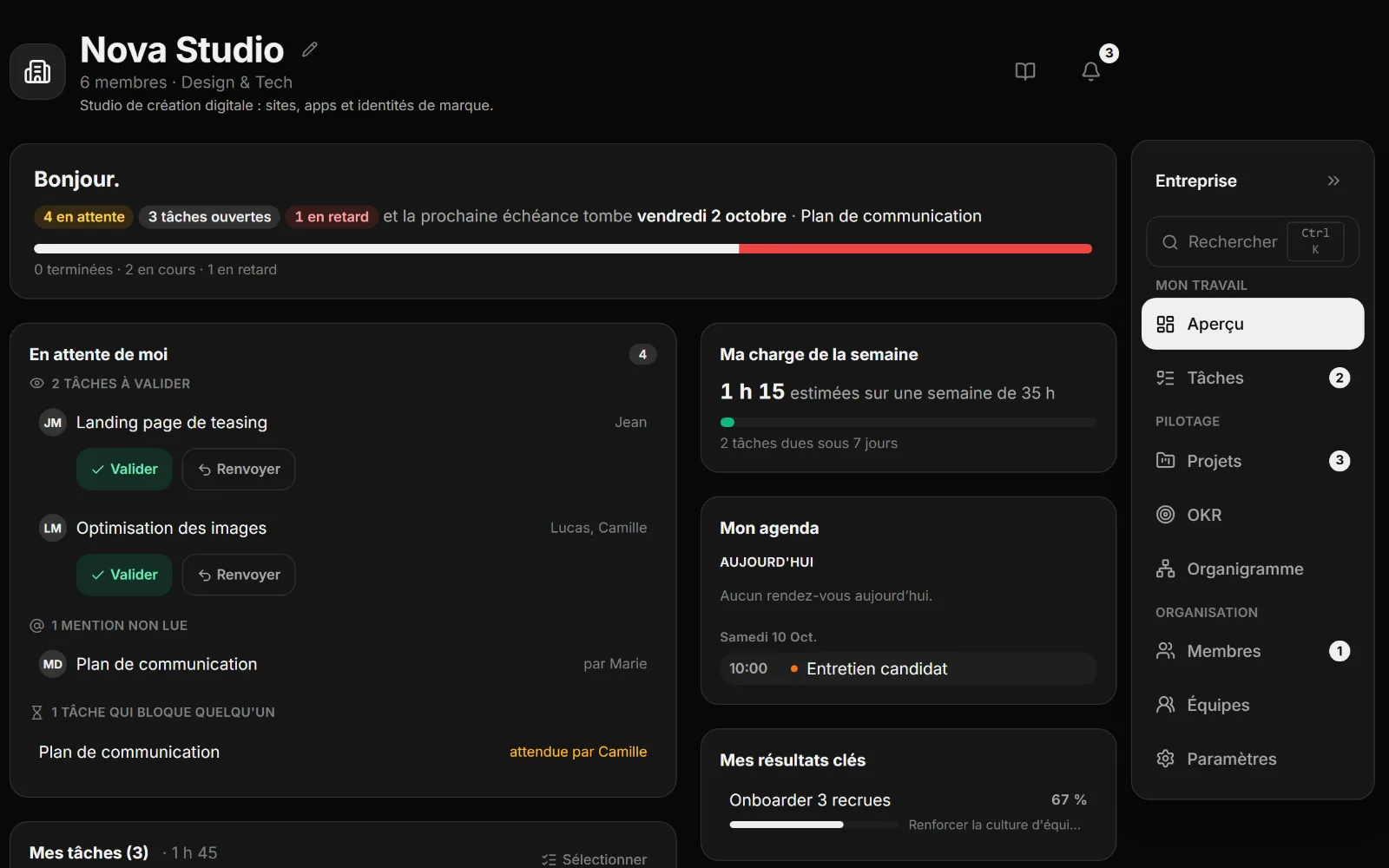
Activity reports answer the Monday morning question: what moved forward, and thanks to whom. Every night, Cosmo records what the company and each team did (completed tasks, projects and OKRs that progressed, events held), readable by day, week or month, with the detail per person. The overview opens each day: tasks to approve, mentions, the people you are blocking, your workload for the week, your calendar and your key results.
Twenty more features
Rights set member by member, project roles (lead, contributor, viewer), a page per team with each member's workload, team events, a getting-started assistant. Project templates, dependencies between projects, bulk actions, lists and presets shared by link, search across the whole company. Automations, delivery to Slack or signed webhooks, full CSV export, alerts set type by type, company key results shown in your personal OKRs. An audit log kept for a year, verified domains, time-limited access, a departure assistant and suspension, a thirty-day trash for tasks and objectives.
Security, privacy and reversibility
Every table is protected by access policies evaluated server side: a request forged from the browser brings back nothing more than a legitimate one. A manager sees the work in their scope, never the personal tasks, habits or calendar of their colleagues. Account deletion is genuinely executed server side, consent to joining an organisation is explicit, and no data is resold. Transferring ownership, a member's departure with their work handed over, and deleting the organisation are in the interface, not in a support ticket.
Pricing
One plan for the whole organisation, whatever the number of projects, rather than a per-person price: free up to 5 members, 70 € a month from 5 to 10 members, 150 € from 10 to 20, 350 € from 20 to 50, 700 € from 50 to 100, and 1000 € beyond 100. The plan adjusts itself as the organisation grows and comes back down if headcount falls. No commitment, cancellable at any time, no credit card to start.
Cosmo for me · Create my organisation · User guide
User guide · Cosmo for companies · Blog · For freelancers · For students · For managers · For teams · About · Free sign-up · Sign in · Legal notice · Privacy · Terms · contact@thecosmo.app